Transforming Hospitality Operation with Intuitive Design & Powerful Features
Nuvola - Sabre Hospitality
- Role
- Senior UX Designer
- Team
- Product Manager, Scrum Master, 4 Developers, 2 Designers (including me)
- Timeline
- 8 months
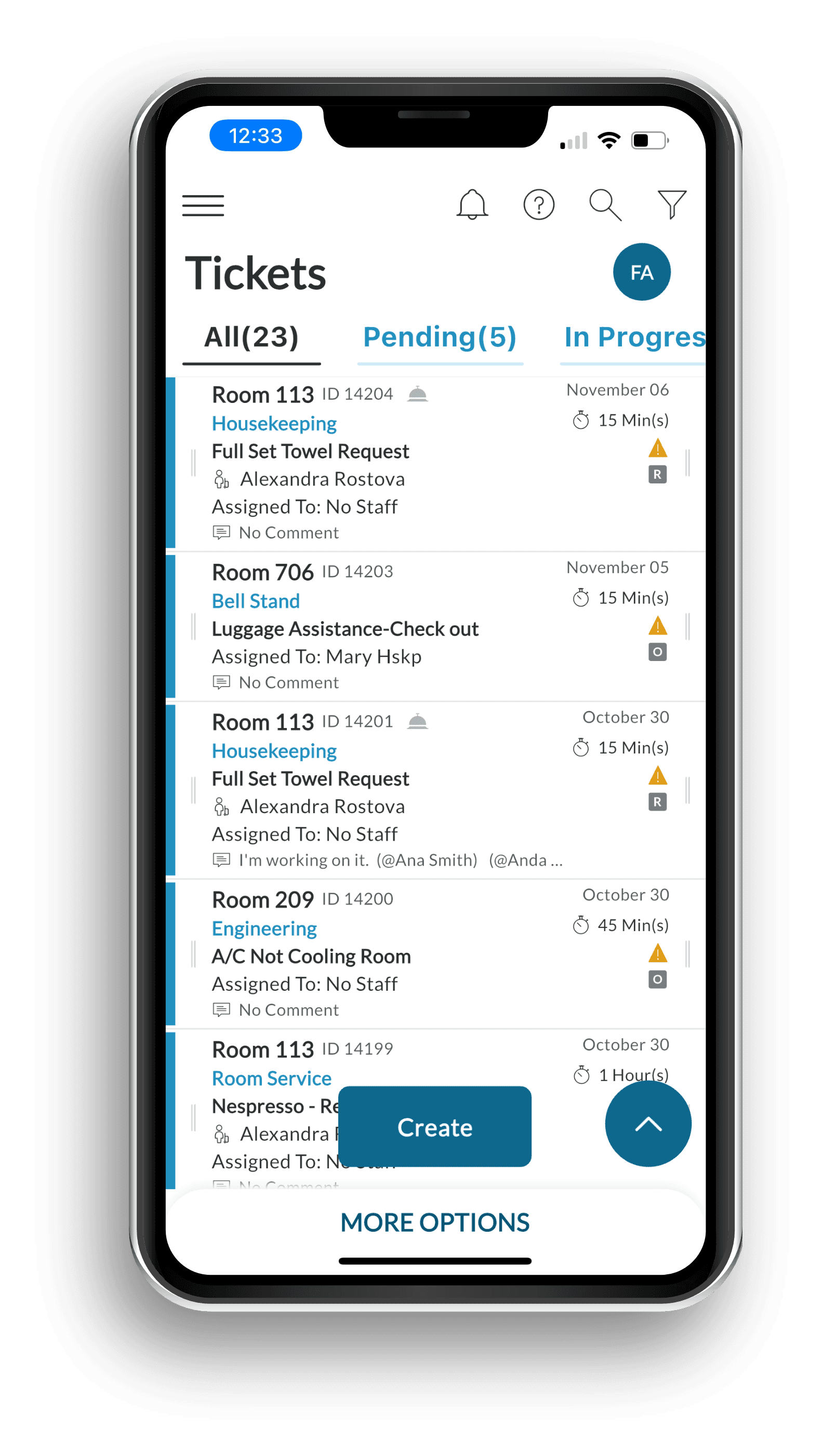
Holistic Product Improvements
Modern Aesthetic, Engaged Users
Attract and retain users with a modern, engaging, and fresh visual design.
Streamlined Efficiency
Boost productivity and efficiency through intuitive navigation and simplified workflows.
Delightful User Experience
Foster user loyalty and satisfaction with a seamless and enjoyable digital experience across all touchpoints.
Universal Accessibility & Compliance
Expand market reach and ensure regulatory compliance with a platform fully usable by all.
The Challenge & Our Solution
Problem Statement
Nuvola is a well-established application used by hospitality teams in daily operations. User feedback and internal review highlighted specific opportunities to improve usability, accessibility, and interaction clarity in a few key areas, in order to better support existing workflows and evolving user needs.
Scope of Work
The project focused on selectively improving core features of the Nuvola app. The work included UX refinements, visual updates, and interaction flow improvements designed to enhance readability and ease of use, while maintaining the product's existing structure and strengths.
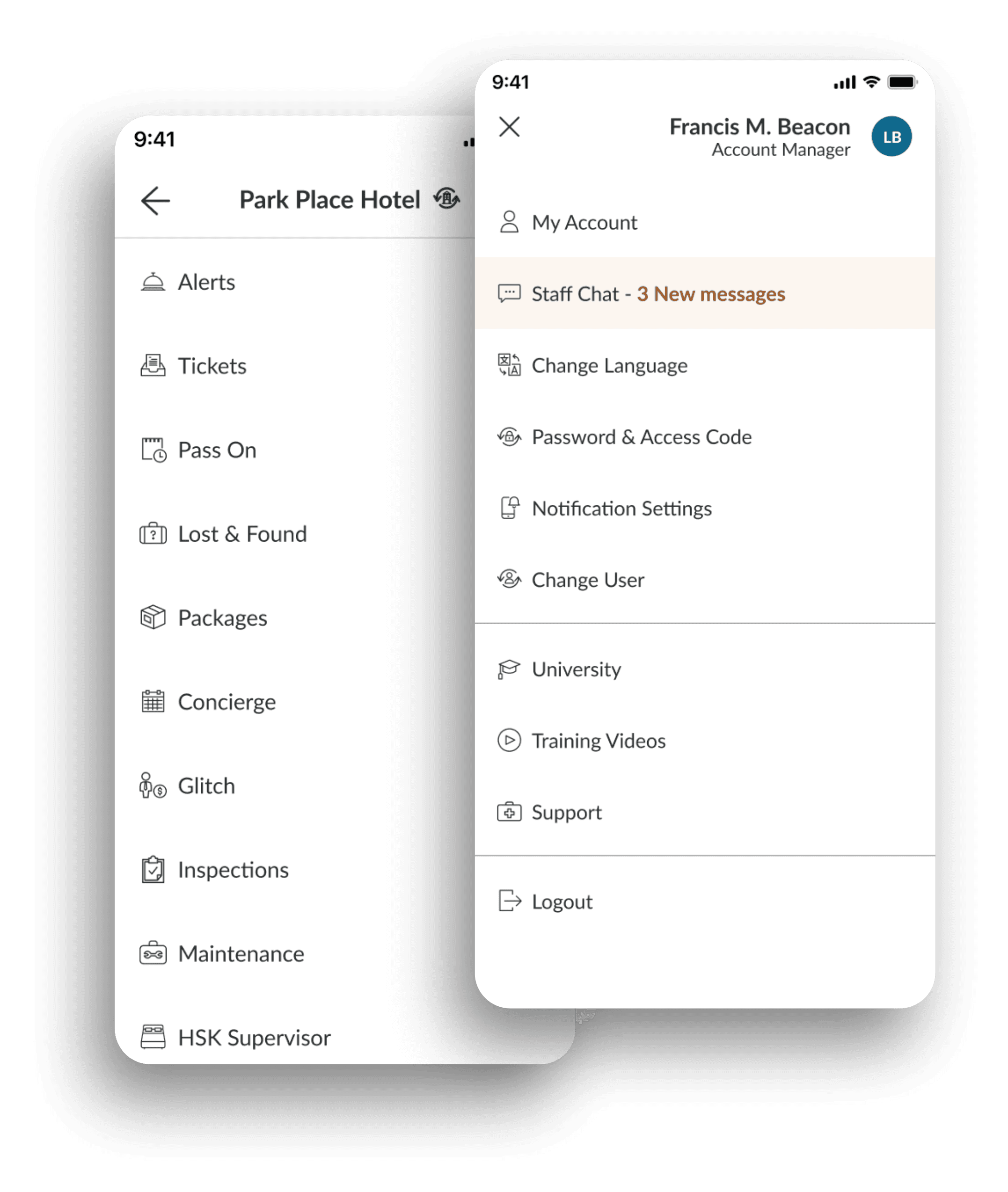
Navigation as Principal Interaction Improvement
Problem
The previous navigation was long and complex, mixing account options, multiple features, and settings in a single menu—creating confusion and slowing task completion.
Solution
Restructured the information architecture into two clear menus: User (account & preferences) and Features (modules & settings). This separation clarified the hierarchy, simplified the mental model, and improved navigation efficiency.
Housekeeping Module Redesign Summary
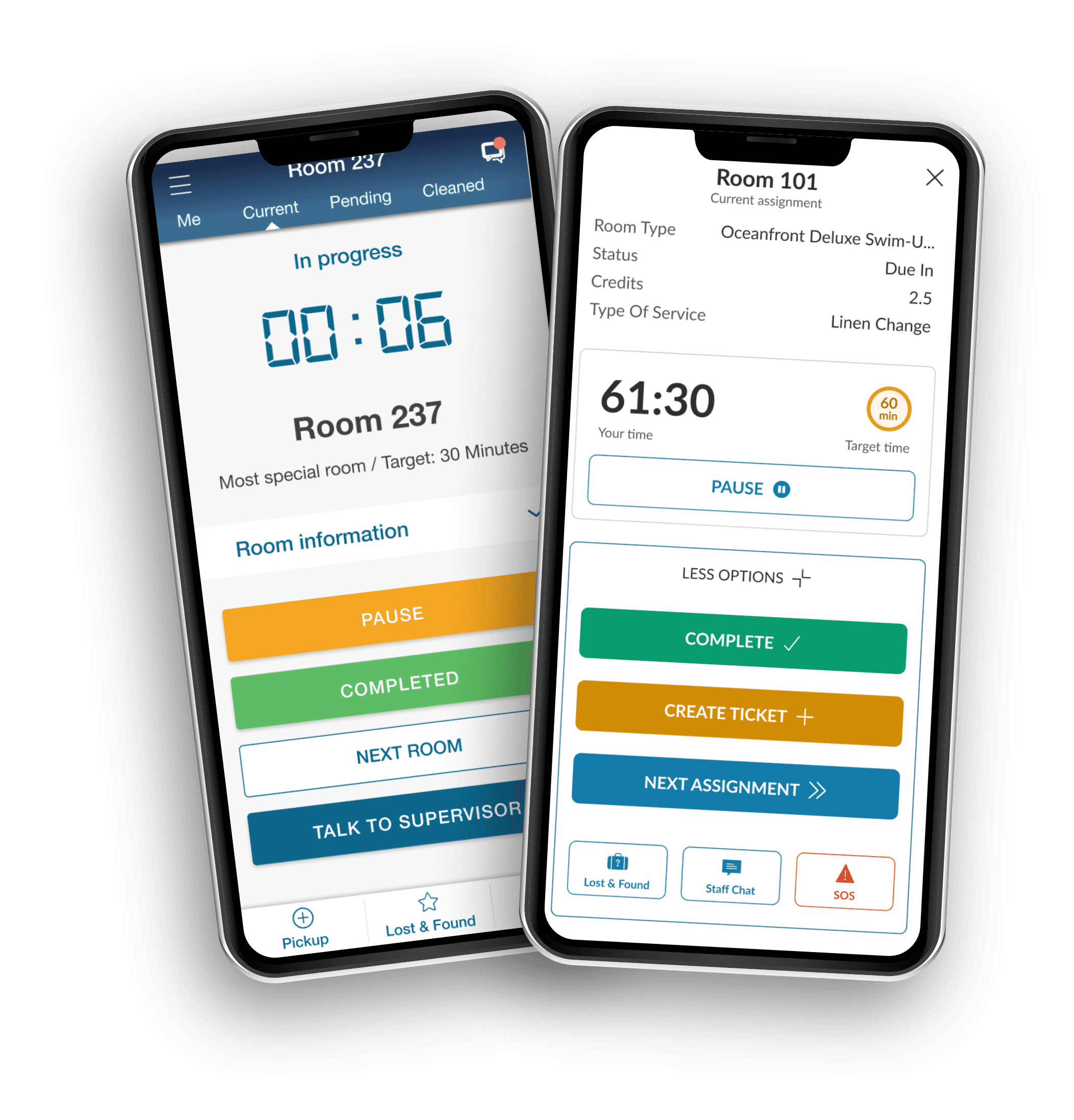
The Nuvola Housekeeping module was strategically enhanced to improve operational visibility, streamline workflows, and elevate the daily experience for supervisors and cleaning staff.
Key Improvements
- Structured Information & Faster Execution — Clearer layouts, improved hierarchy, and streamlined room-level actions.
- Accessibility & Clarity — Improved contrast and structured content to reduce cognitive load.
- Positive Reinforcement — Feedback moments to strengthen motivation and task completion.
- Operational Visibility — Real-time dashboard with consolidated metrics and progress tracking.
- Workflow Simplification — Unified view of inspection and cleaning states to reduce context switching.
Elevating the Cleaning Experience
Designing for Cleaning Staff Personas
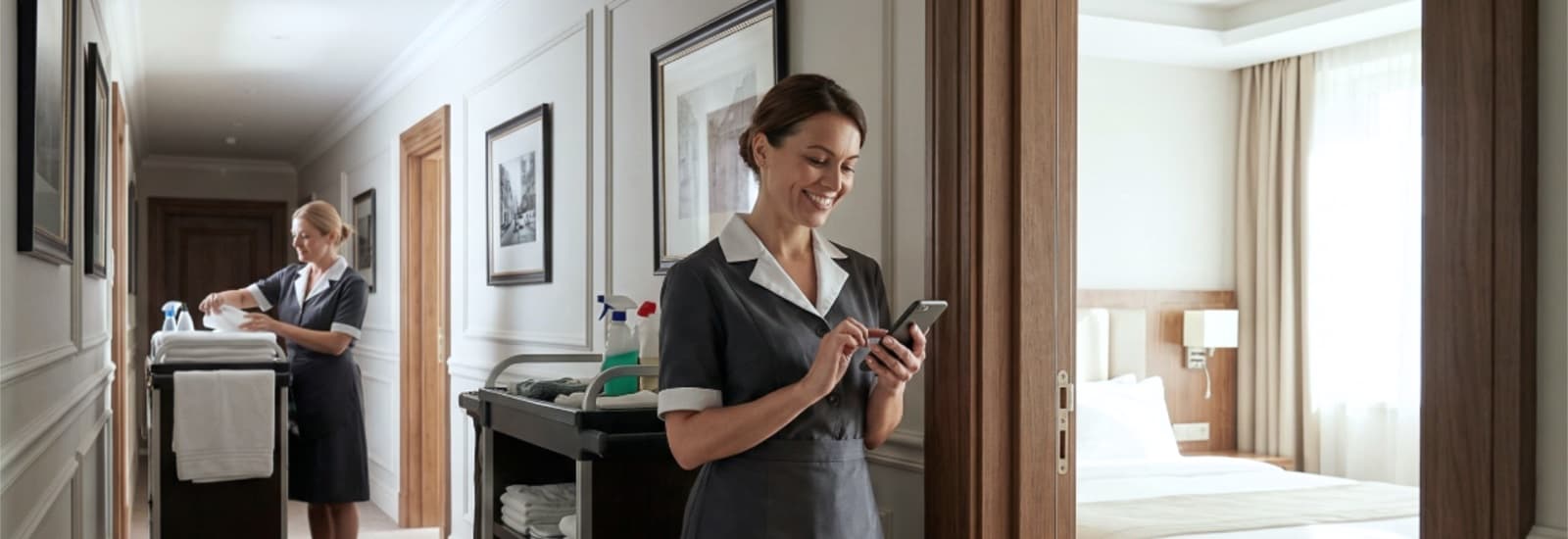
Cleaning staff operate in fast-paced, repetitive workflows. Tasks require clarity, speed, and minimal cognitive effort. Accessibility and guidance are critical to performance and confidence.
From Fragmented to Focused
Problem
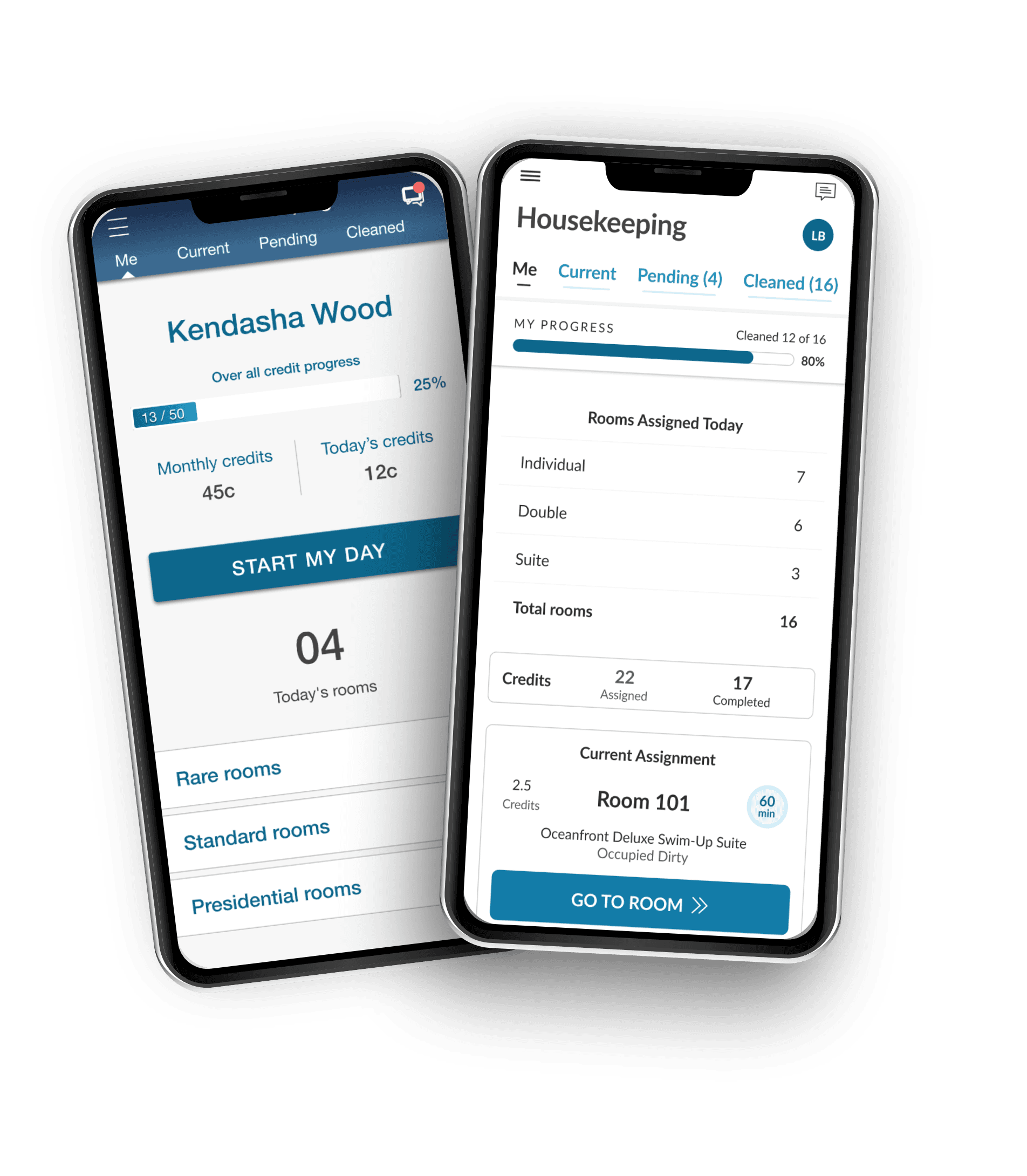
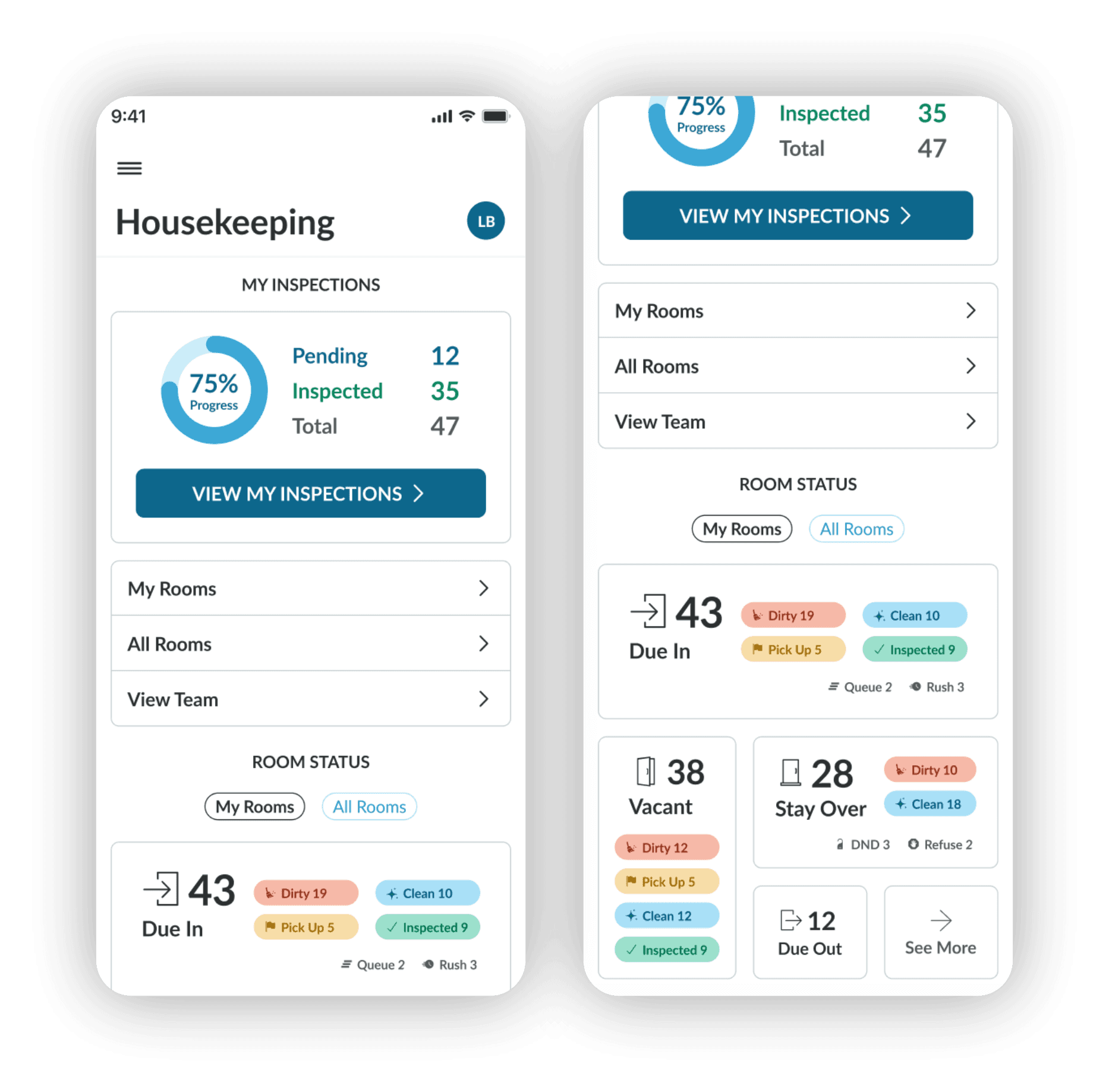
The previous version of housekeeping Overview screen presented information in a dense and fragmented way, making it harder to quickly understand progress, workload, and next actions.
Solution
The redesign introduces clearer structure, improved hierarchy, and better grouping, making key information easier to scan and supporting more efficient daily workflows. The tab bar was preserved as it was to reduce friction during adoption of the updated interface.
Designing for Clarity and Readability
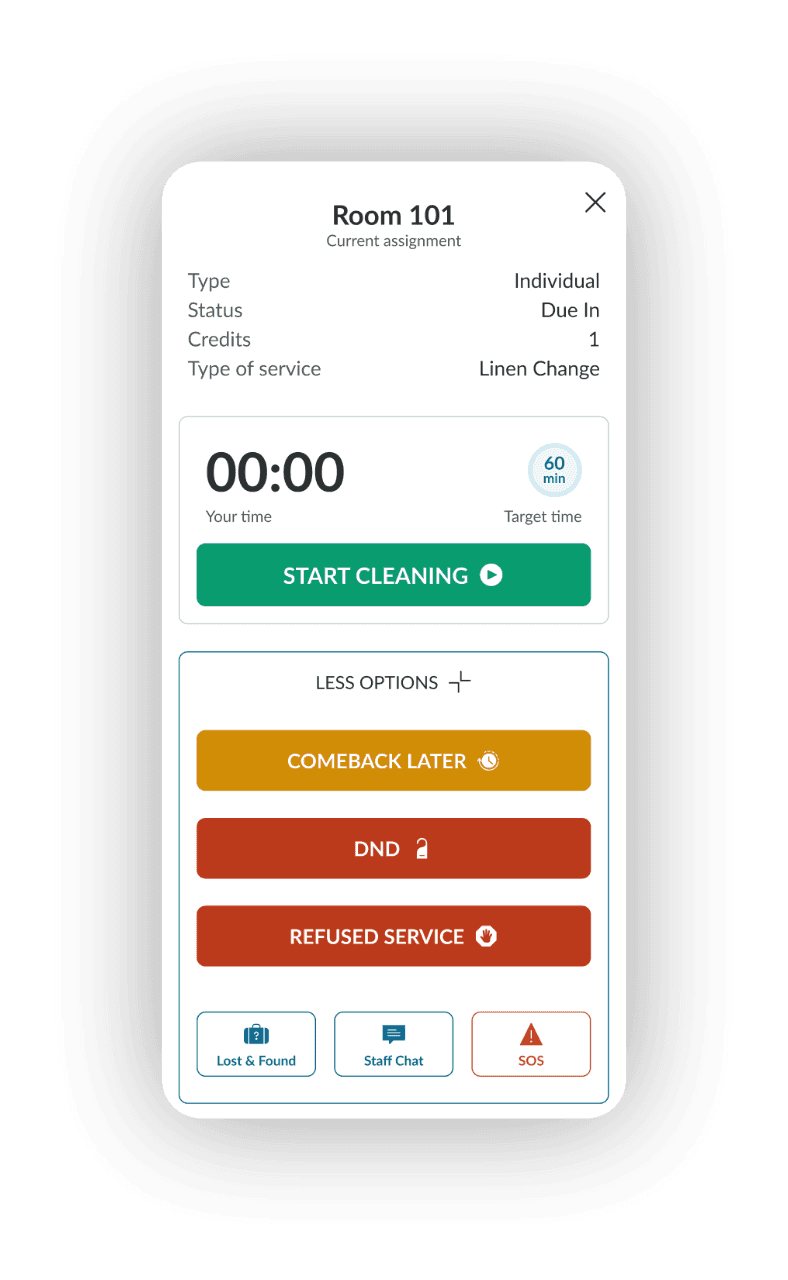
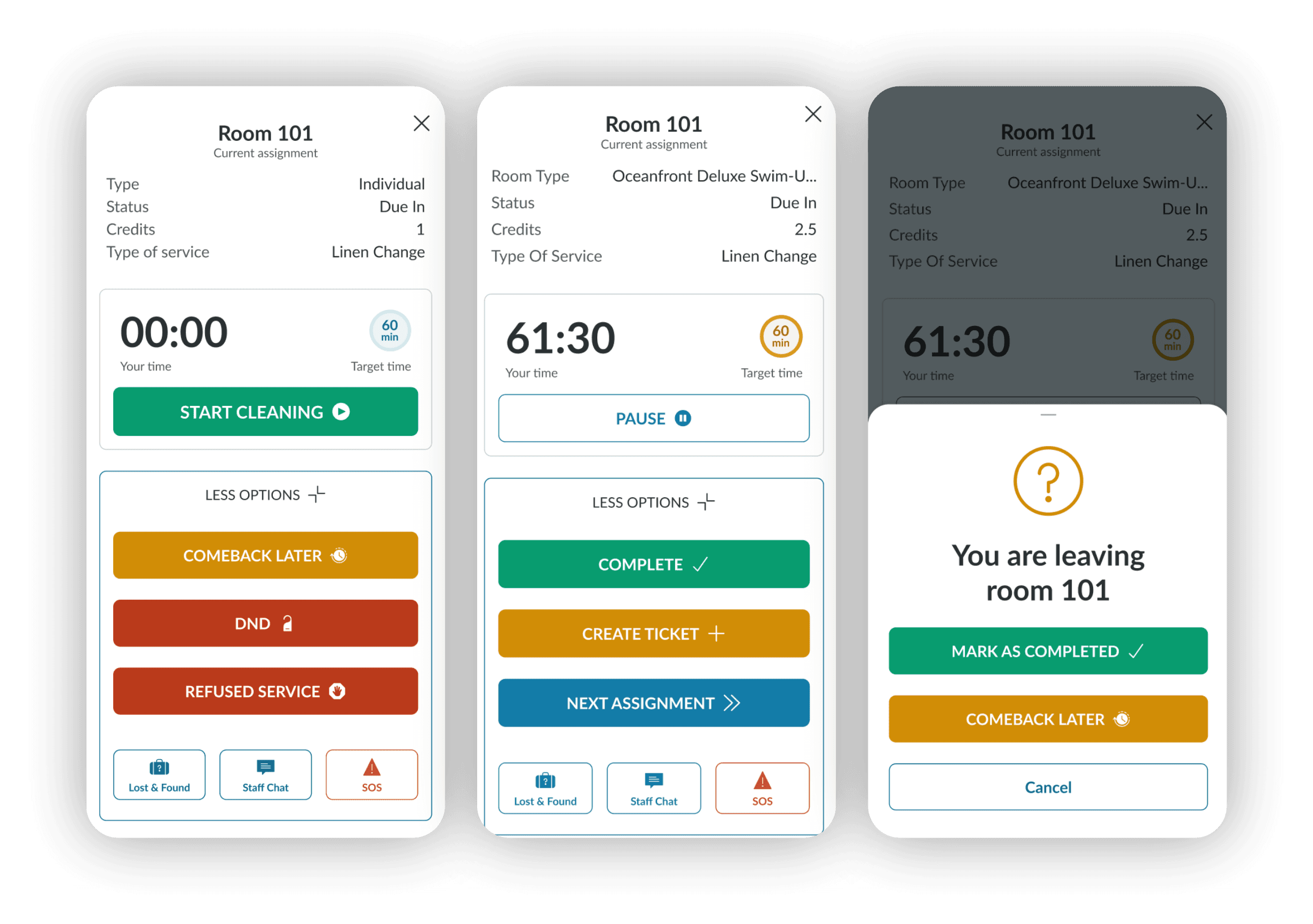
Room details page
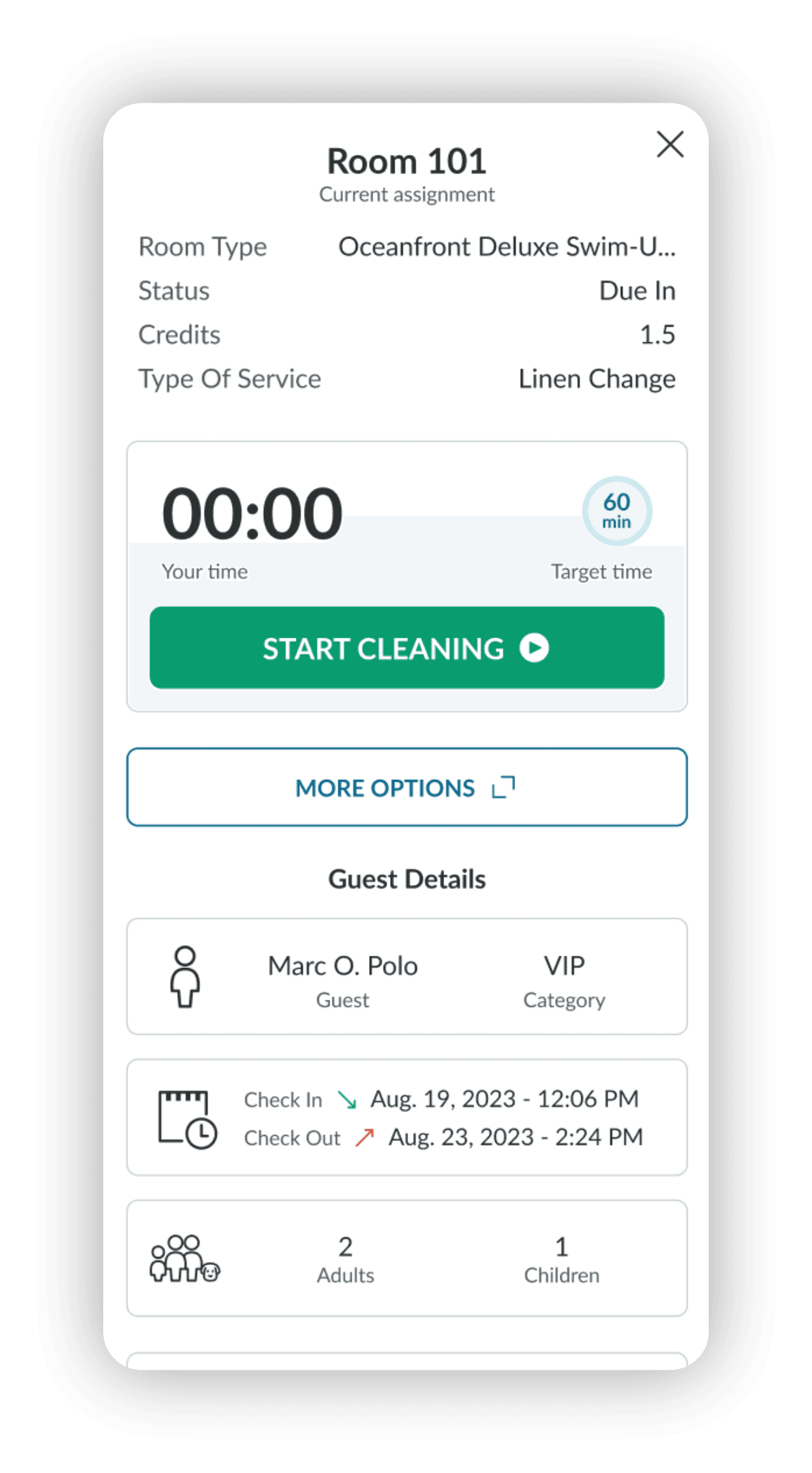
From
- Dense content and inconsistent hierarchy made scanning harder.
- Contrast levels reduced readability in certain conditions.
- Limited feedback upon task completion reduced sense of progress.
To
- Reduced cognitive load through cleaner layout and clearer typographic hierarchy.
- Improved contrast for better visibility.
- Simplified views with precise, structured information.
Impact
Faster scanning. Improved accessibility. Greater task confidence.
Supporting Users Through Their Workflow
Solution Highlights
- Content structured to guide users step-by-step.
- Clear progress indicators.
- More intuitive task sequencing.
Impact
- Better orientation.
- Reduced friction.
- Smoother daily execution.
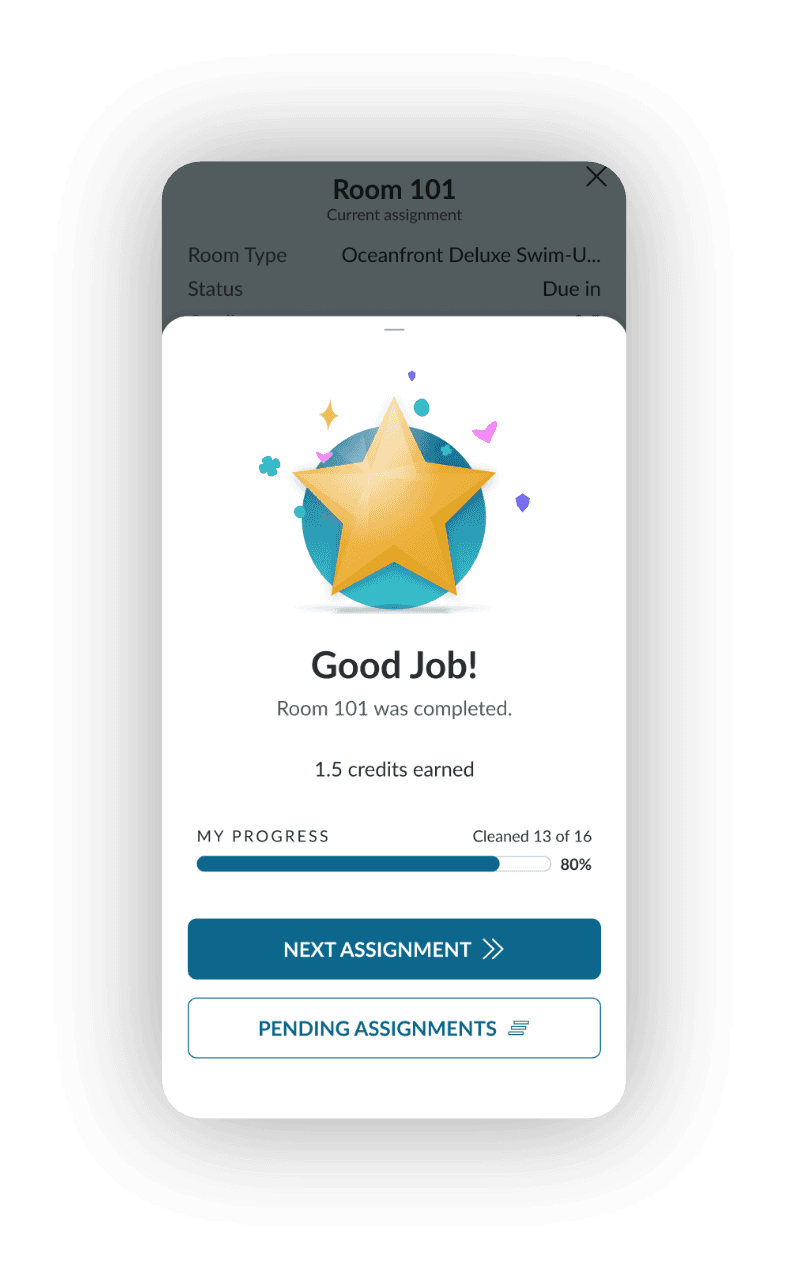
Reinforcing Progress Through Positive Feedback
Insight
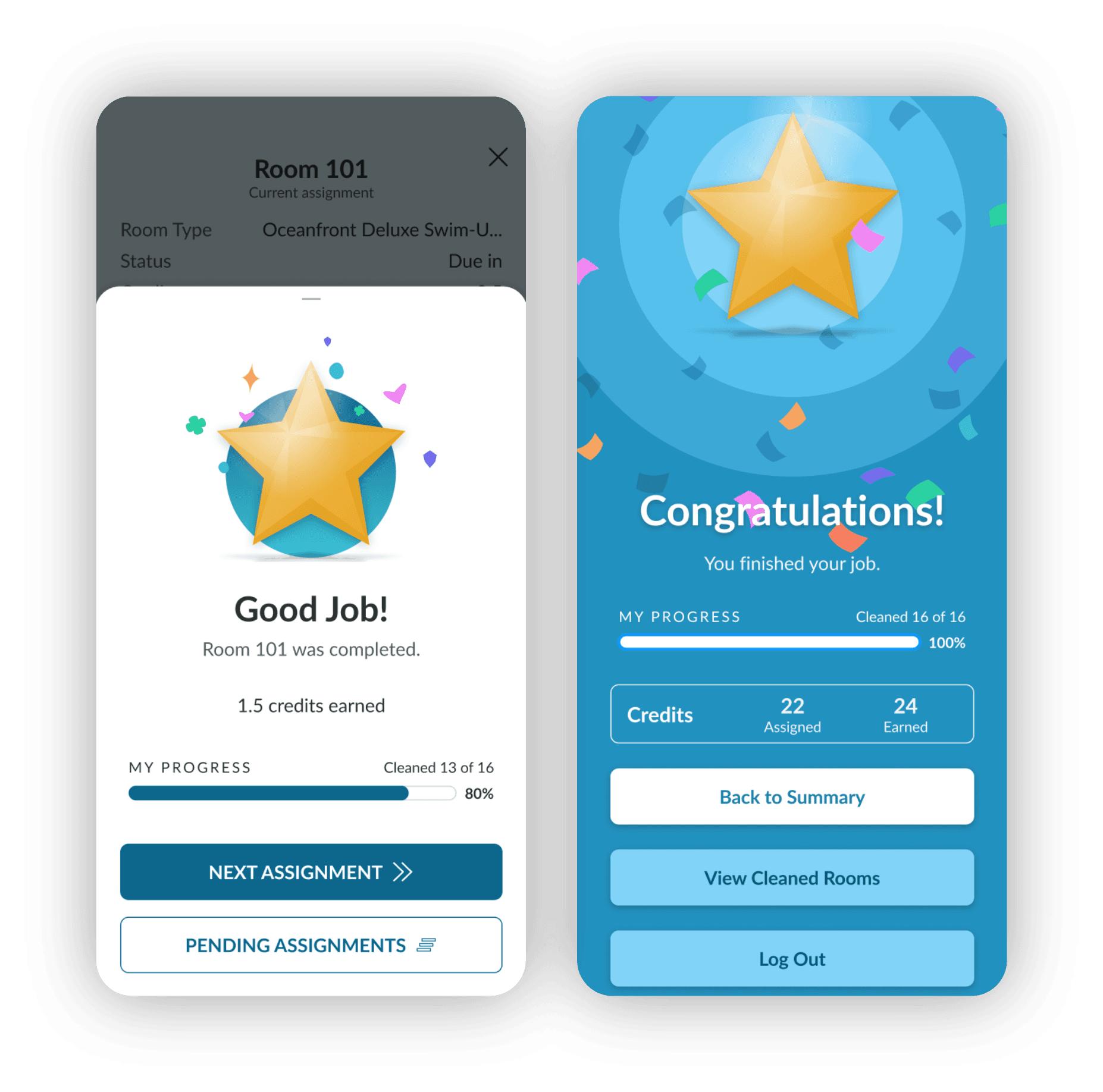
Task completion previously lacked emotional reinforcement, so we introduced a "Good Job!" confirmation after each room and a full-screen "Congratulations" message upon completing all assigned tasks.
Impact
Increase motivation by providing positive feedback and strengthening the sense of accomplishment.
Supporting Daily Housekeeping Operations at Scale
Context
- Supervisors manage inspections, cleaning, and progress tracking daily.
- Key operational states were distributed across multiple views.
- Oversight and execution required frequent context switching.
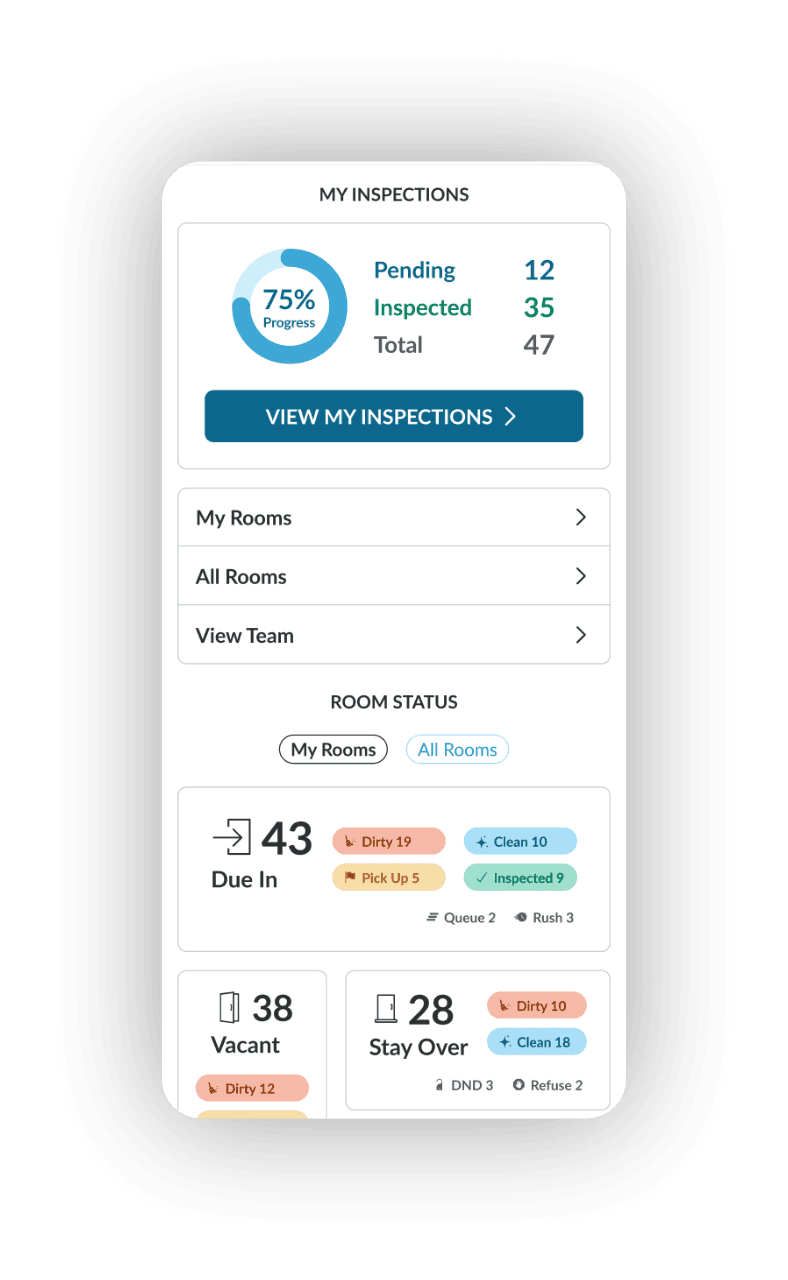
Improving Operational Visibility
Problem
Limited real-time overview of daily progress and room status.
Solution
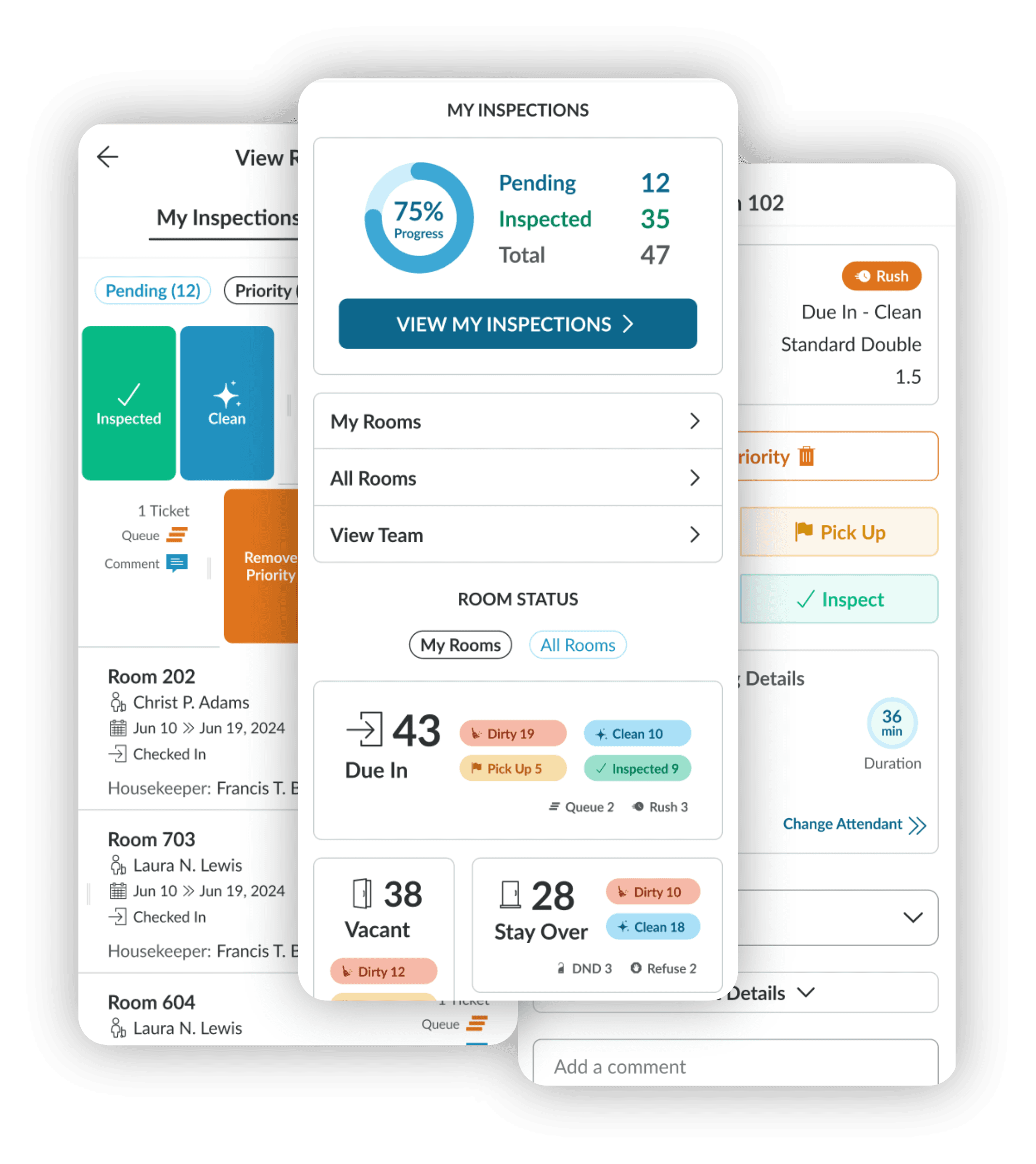
Introduced a supervisor dashboard with consolidated metrics and progress tracking.
Impact
Faster situational awareness. Clearer understanding of workload distribution.
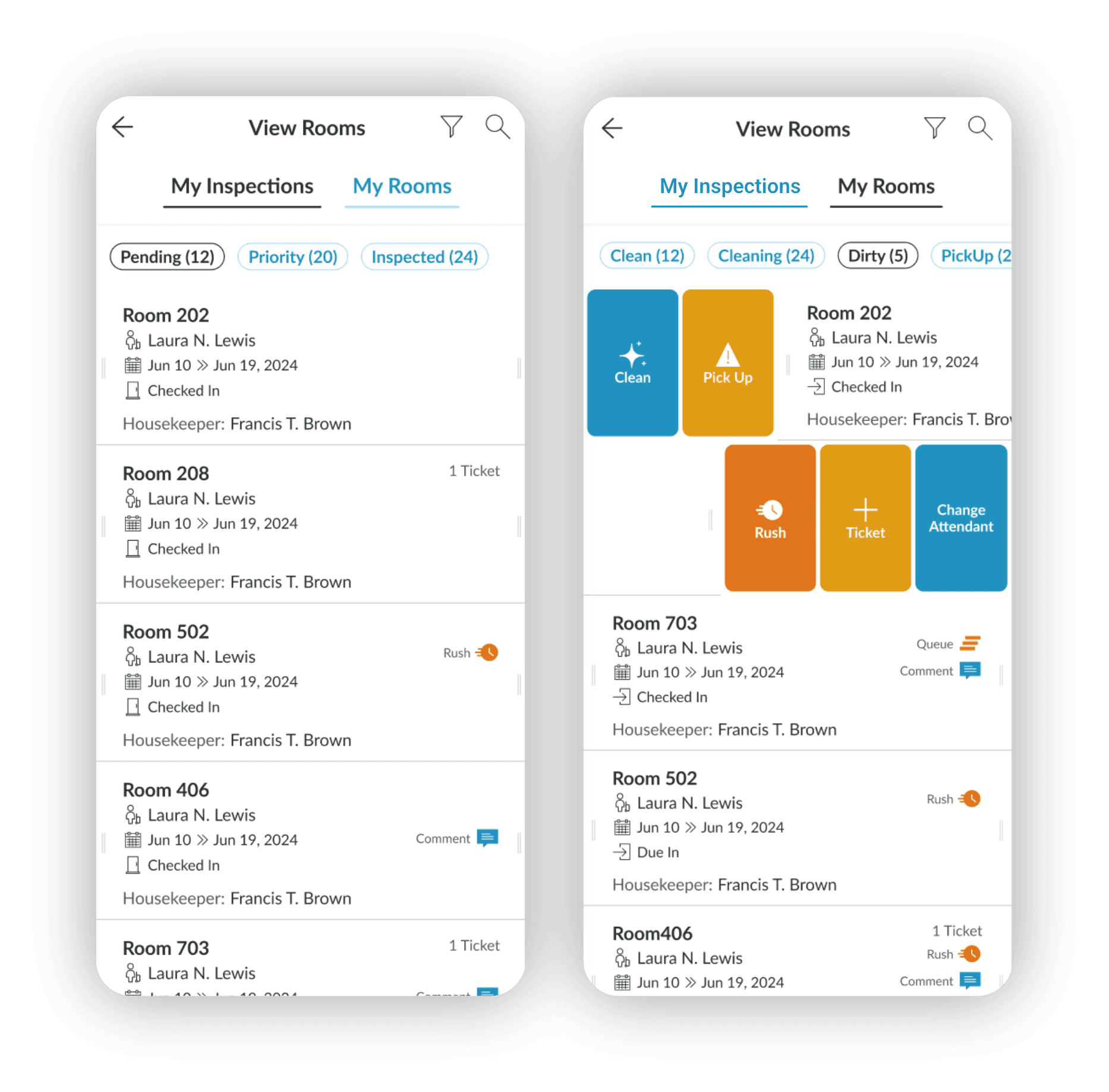
My Inspections
Reducing Context Switching
Problem
Inspection and cleaning states were separated into different pages.
Solution
Consolidated both into a single view with two dedicated tabs.
Impact
Streamlined navigation. Faster state comparison and task coordination.
Optimizing Task Execution
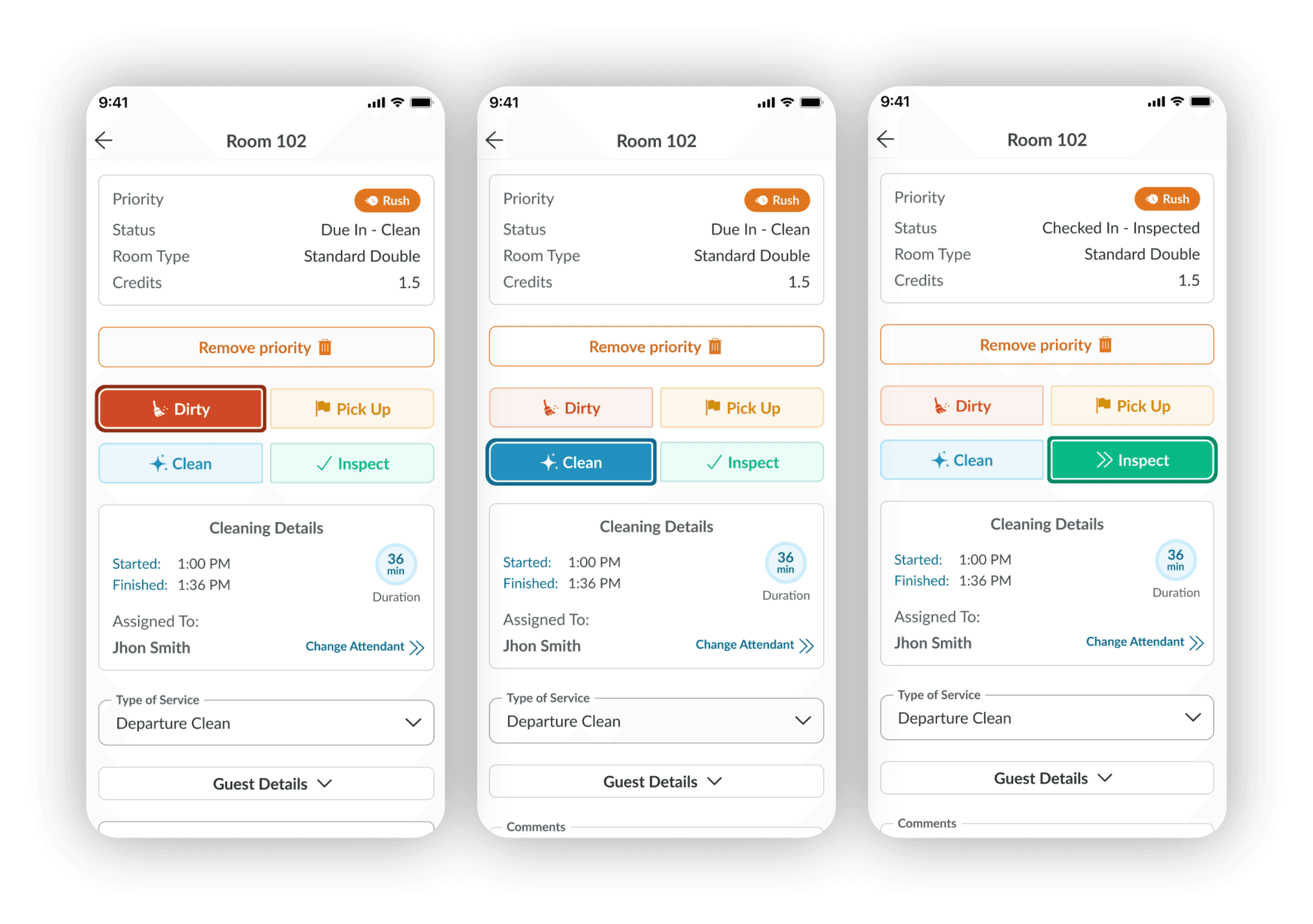
Problem
Status updates and tagging required extra effort and navigation.
Solution
Enhanced the room detail view with quick actions and clearer information hierarchy.
Impact
Faster updates. More efficient operational control.
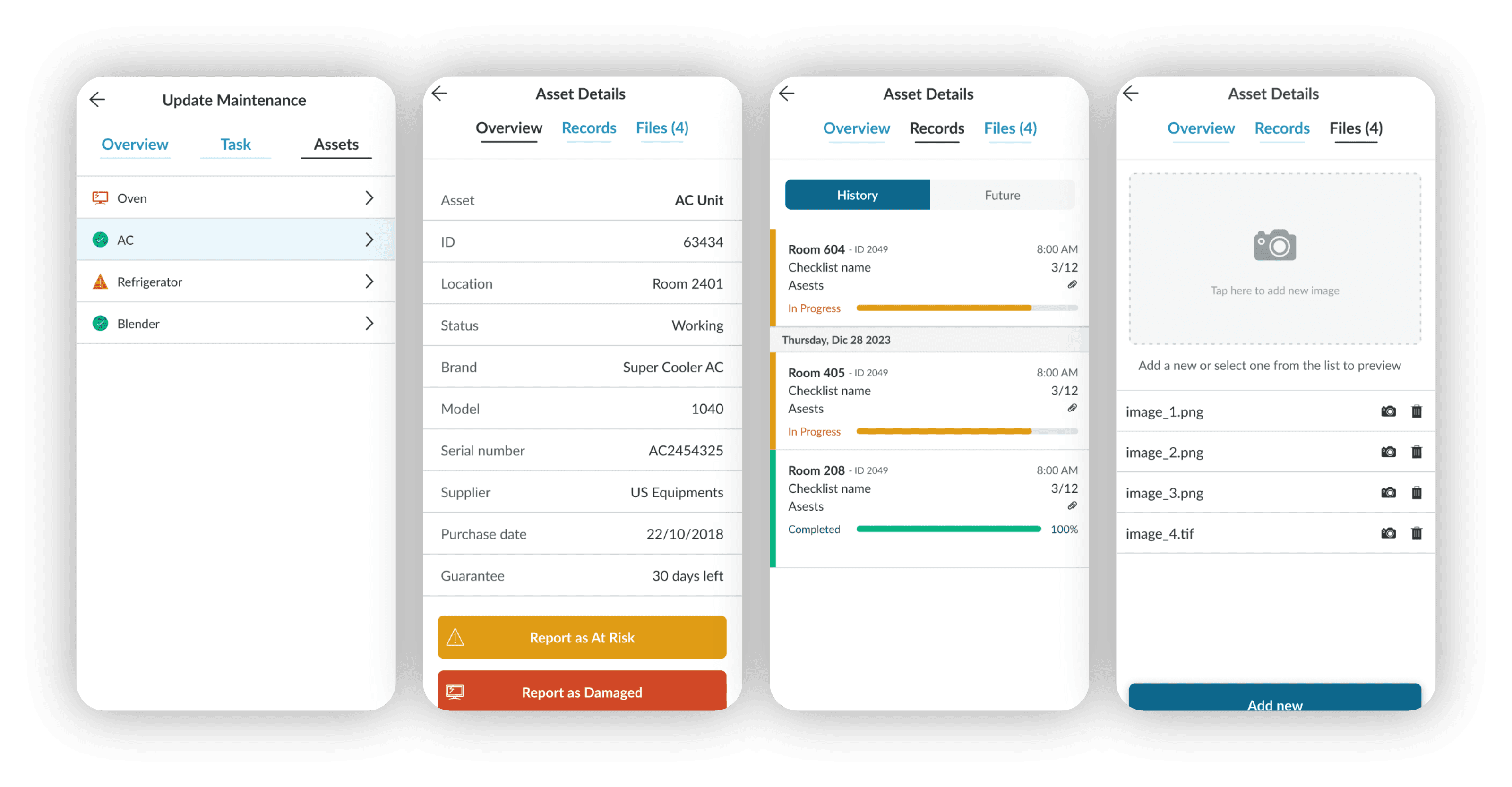
Optimizing Maintenance Operations
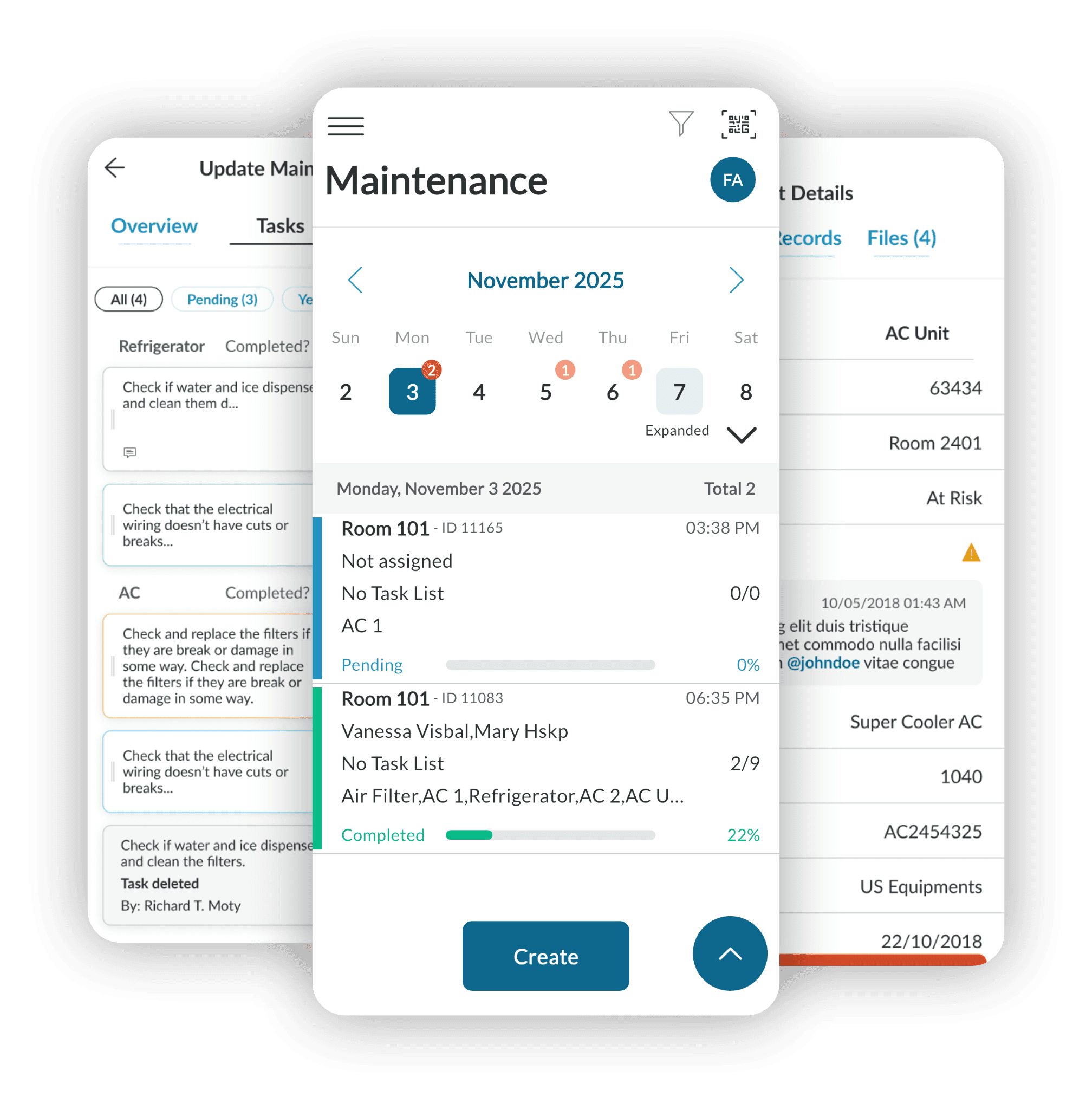
Problem
The Maintenance module shared similar layout, usability, accessibility and workflow challenges limiting clarity, efficiency, and operational control.
Solution
We redesigned key areas of the module focusing on clearer structure, improved hierarchy, and streamlined interactions.
Impact
Enhanced visibility and prioritization and more efficient maintenance processing with improved control of tasks and assets.
Simplifying Maintenance Workflows
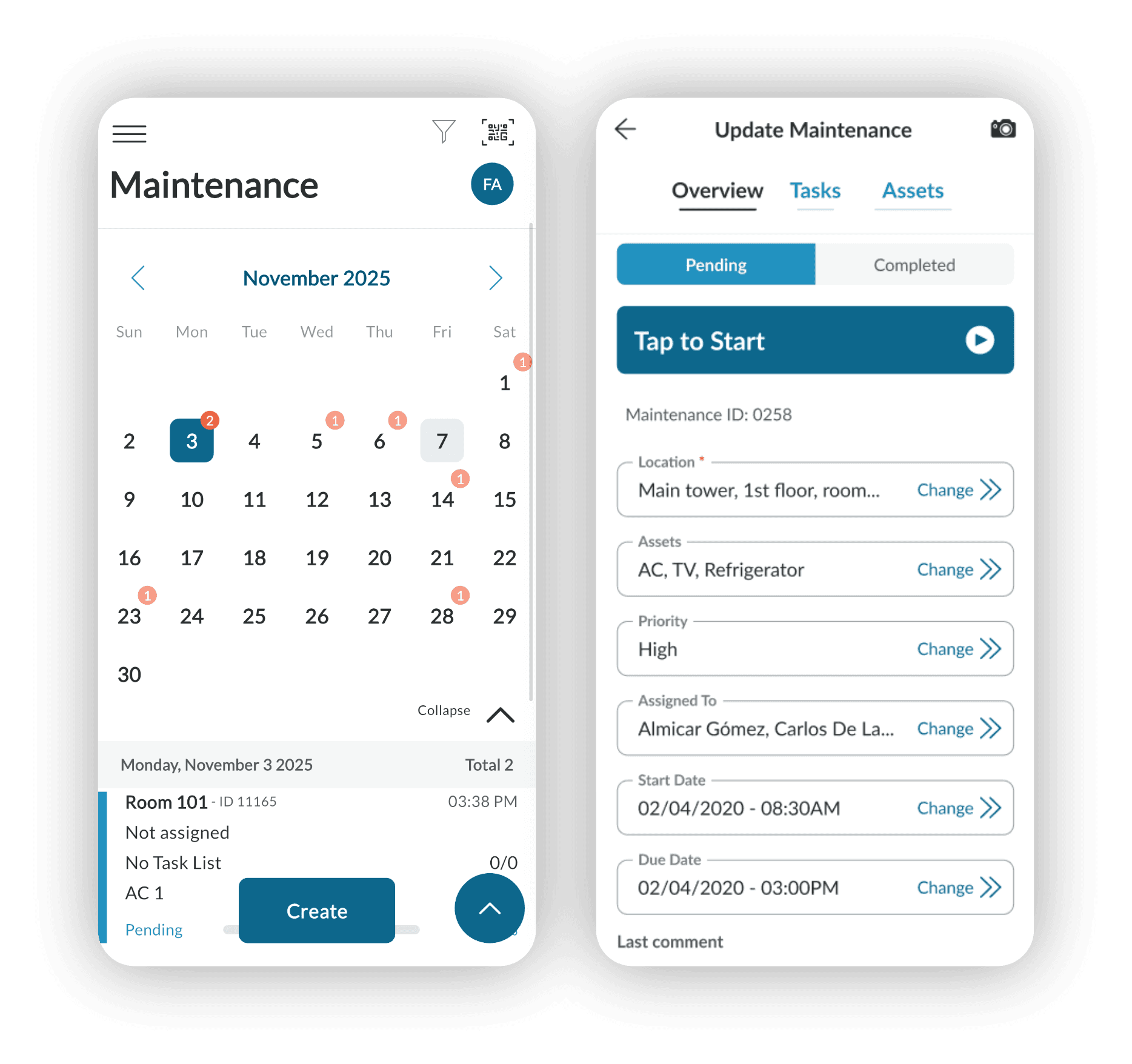
Problem
The process to requests and manage maintenance required multiple steps and lacked clarity in task progression.
Solution
Simplified the workflow for creating and processing maintenance requests, introducing clearer steps and more intuitive interaction patterns.
Impact
Reduced friction and improved efficiency from request creation to resolution.
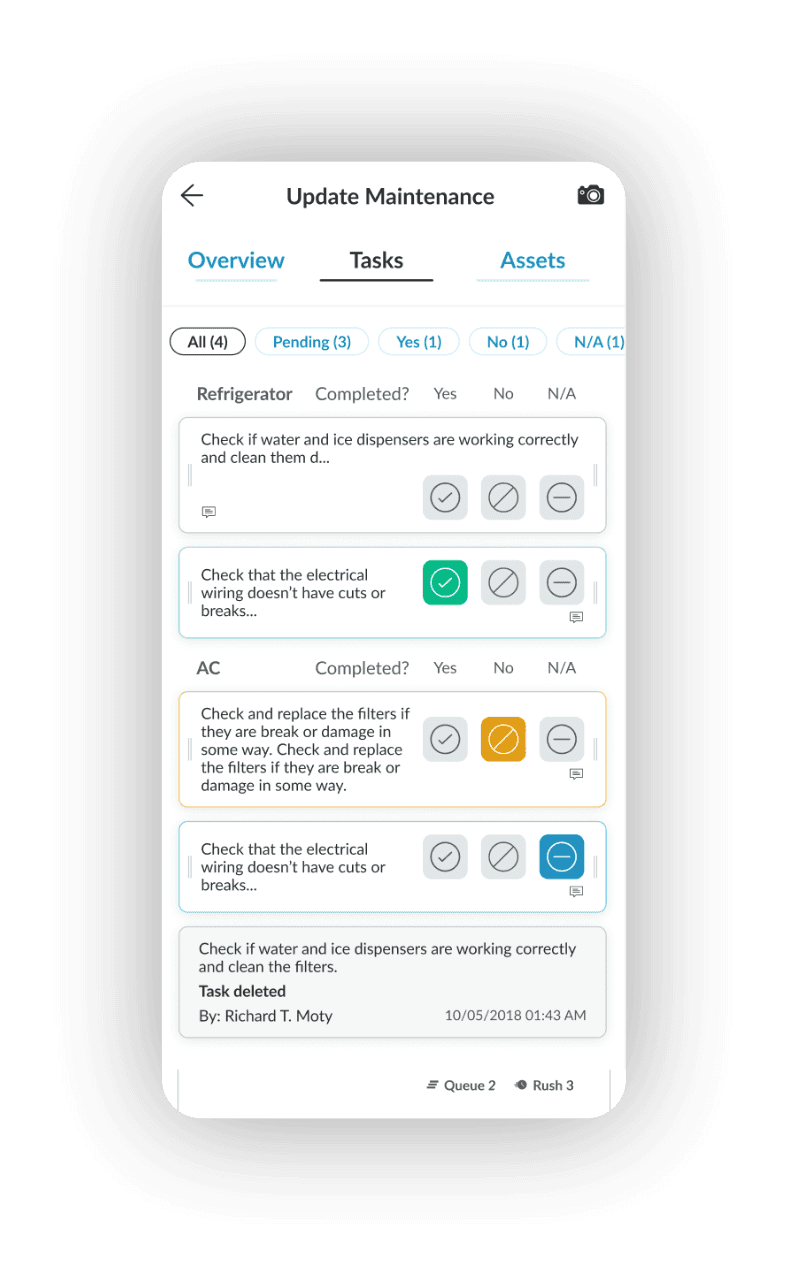
Strengthening Task-Level Control
Problem
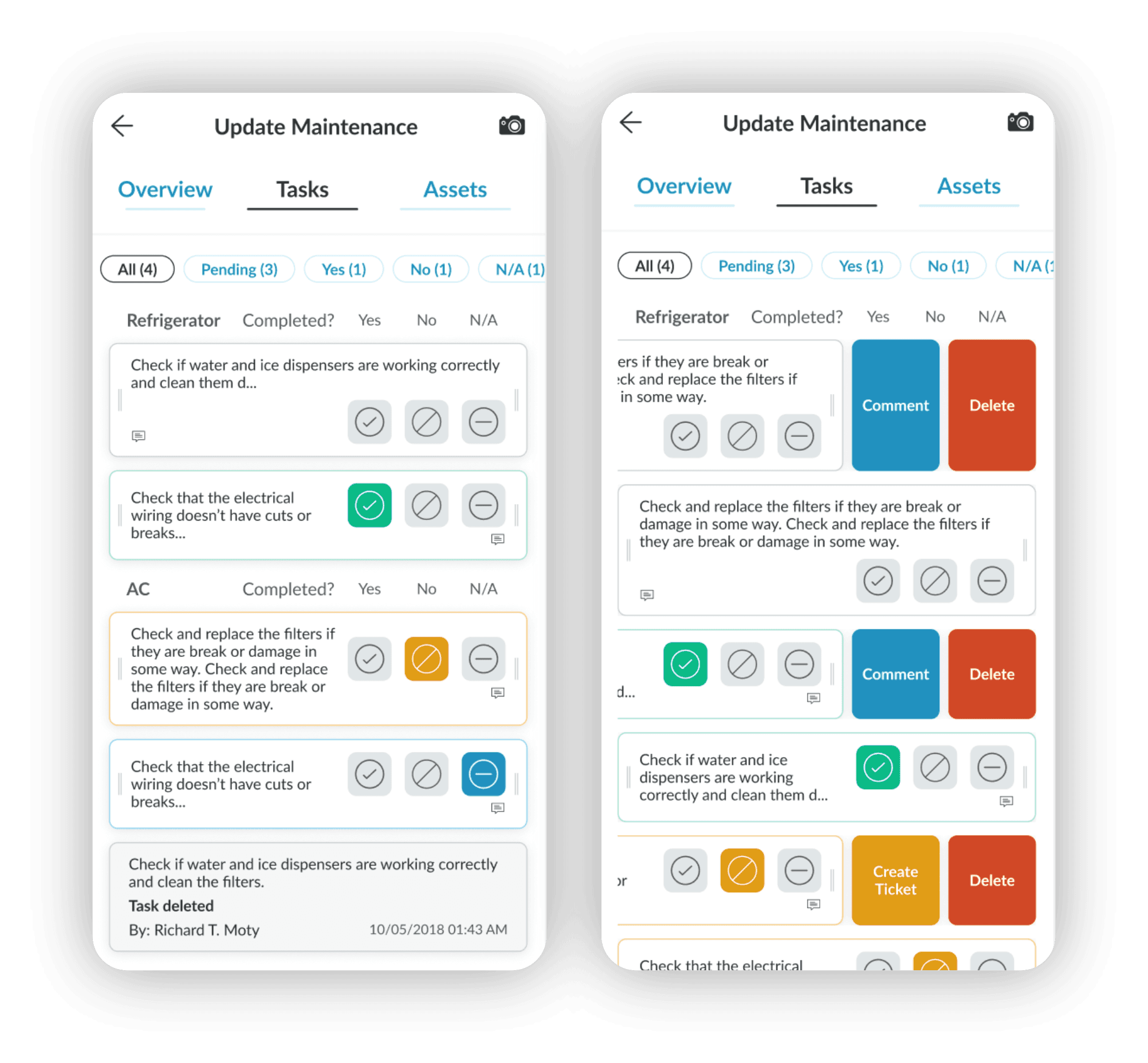
The maintenance task process lacked clarity, making coordination and monitoring less efficient.
Solution
Refined the task manager with a clearer structure, improved status visibility, and a more organized task breakdown.
Impact
Improved task tracking, leading to better coordination and more efficient execution.
Improving Asset Health Visibility
Asset conditions were not clearly differentiated, limiting quick understanding of equipment health and risk levels.
Introduced structured asset states — Functioning, At Risk, and Damaged — with clear visual differentiation and consistent status logic.
Improved asset visibility to take more proactive maintenance decisions and better operational control.